Every touch, up close.
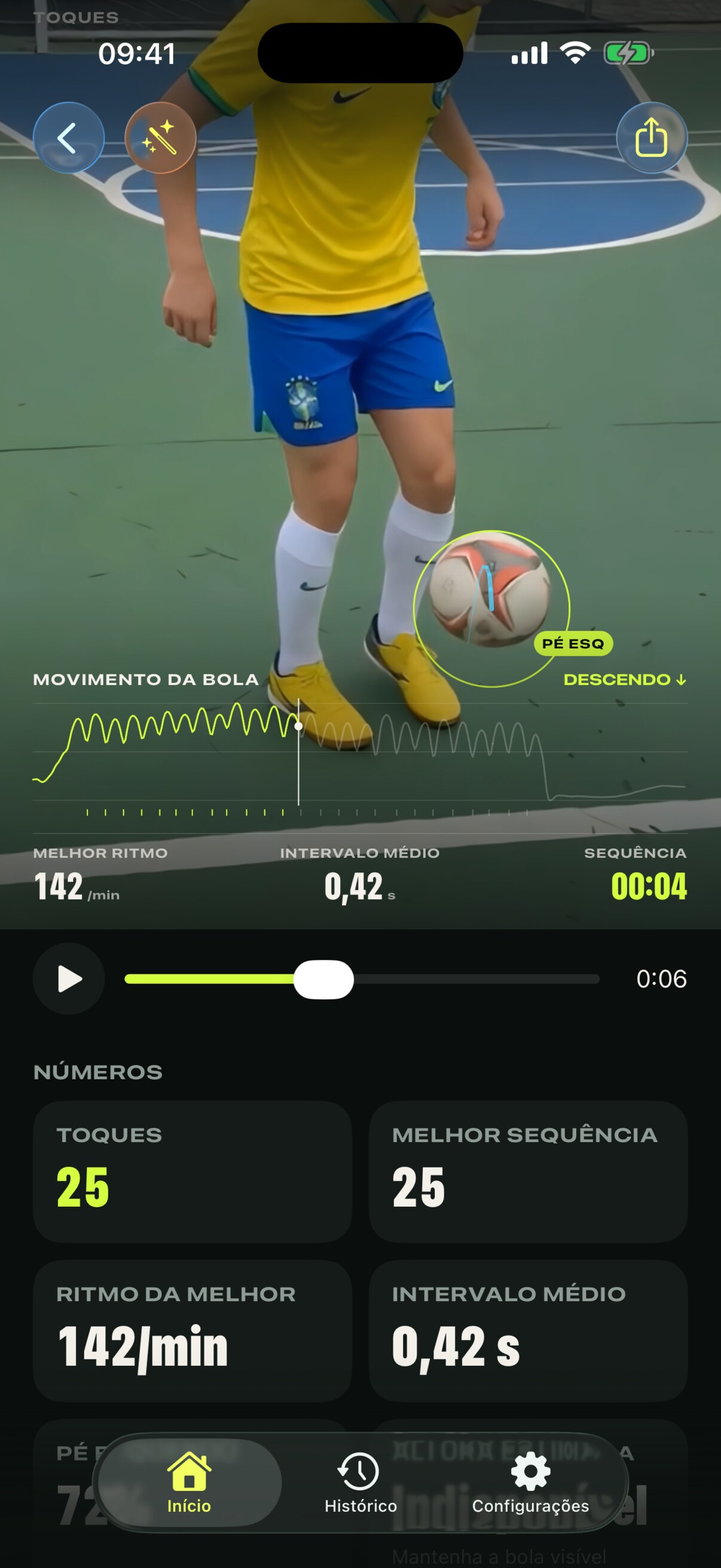
Replay your session with touch counting and the ball’s path. Pause, rewind and find the touch that made the difference.
Ball in the air. Your game in focus.
You focus on the ball. Embaixadinha counts your touches and turns your training into a replay.
Touch counting
Ball-tracking replay
Video ready to share
From your first attempt to your best run. Review your touches, follow the ball and find your next improvement.
Replay your session with touch counting and the ball’s path. Pause, rewind and find the touch that made the difference.
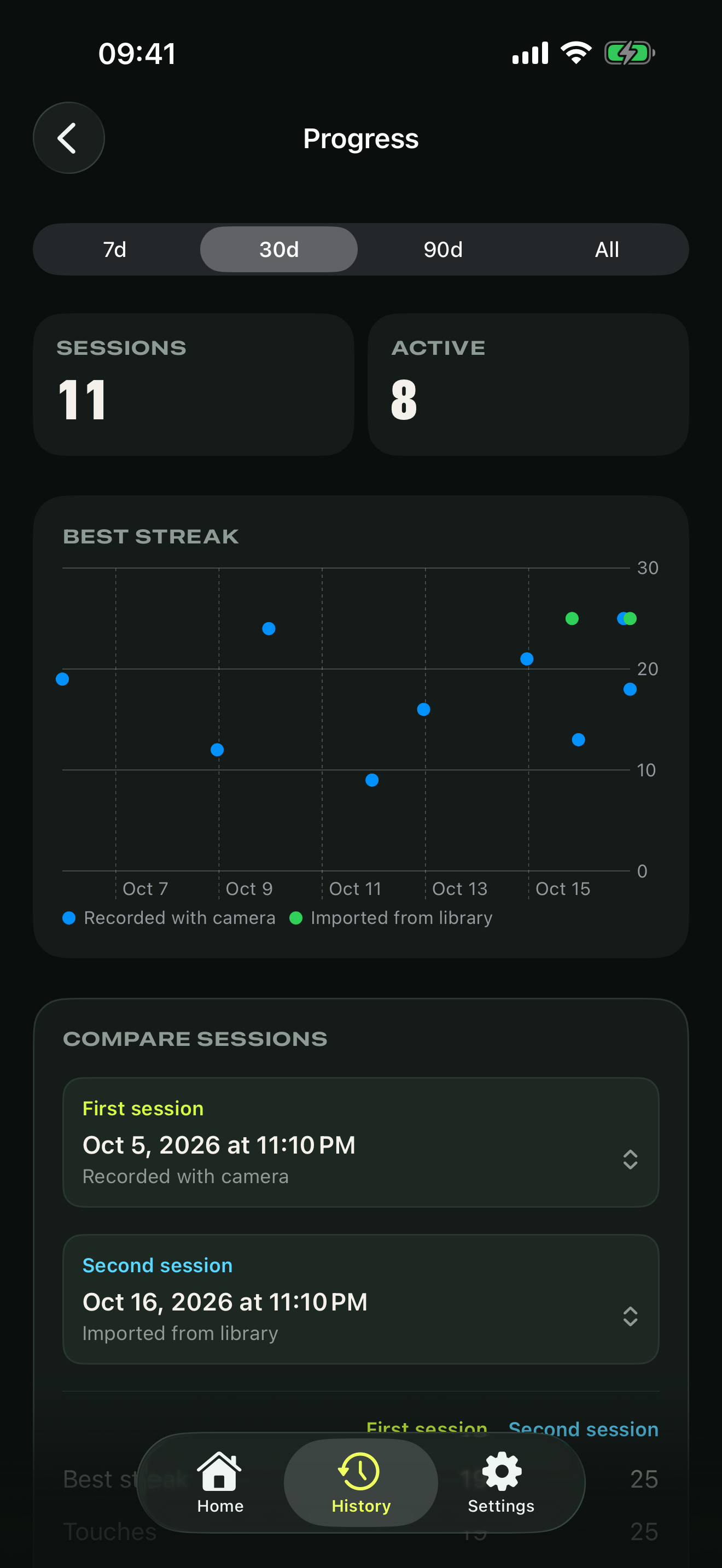
Save your sessions and compare your runs. Your next challenge starts with your own personal record.
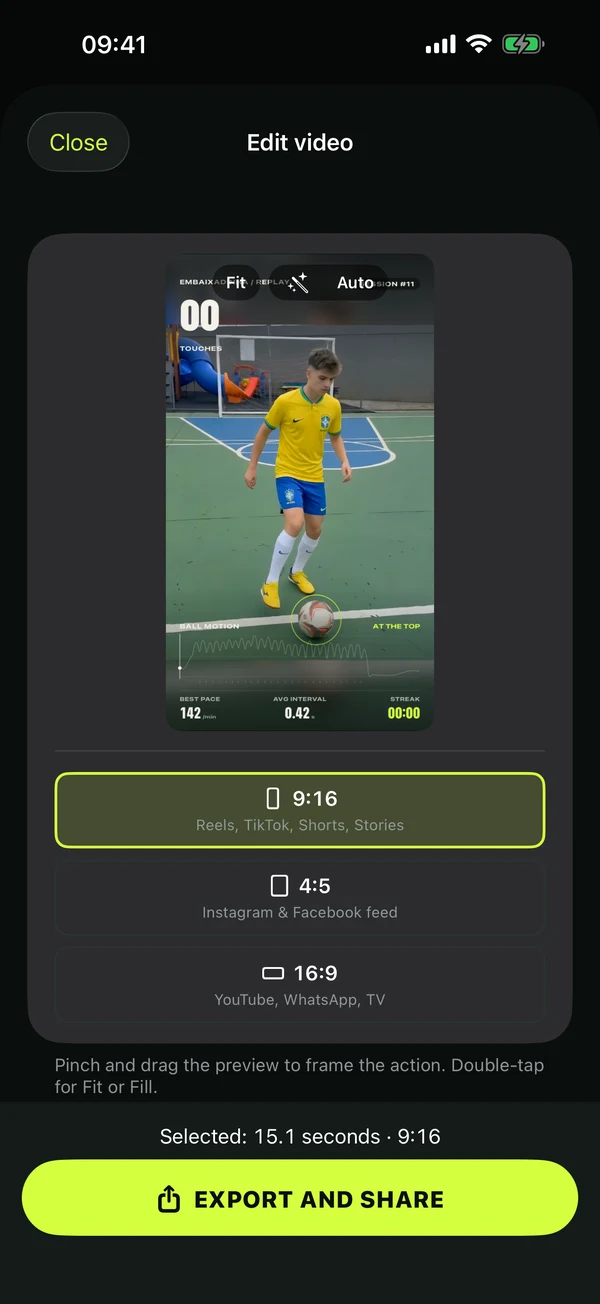
Choose your moment and export in 9:16, 4:5 or 16:9 with touches on screen. Ready to share with the people you play with.
Explore featuresMore than counting touches
From your video’s best moment to a steady practice habit. Explore what goes into every attempt.
Video editor
Choose your sequence, adjust the framing and preview before exporting. Your original video and personal records stay intact.
Session insights
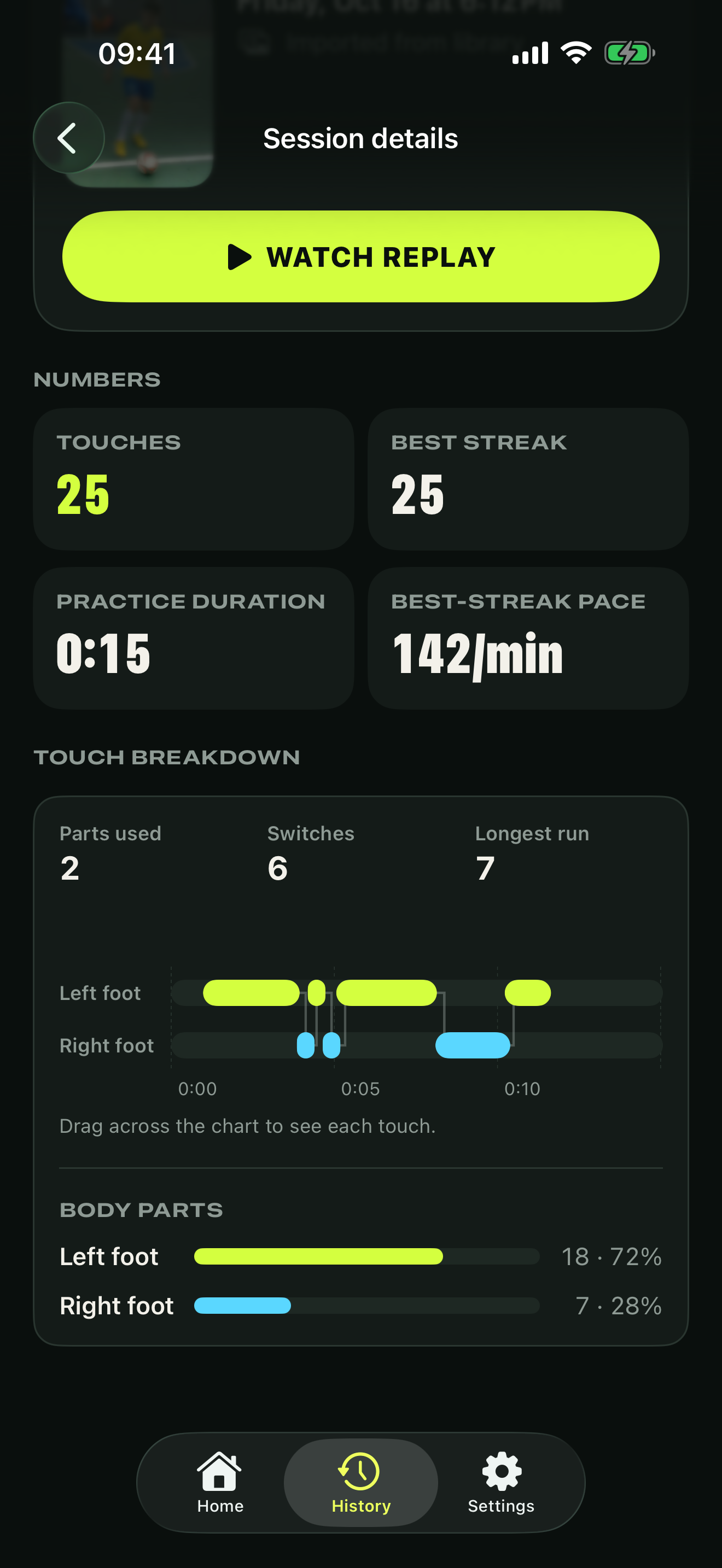
See how your sequence moves across your body. The chart reveals the moments, switches and body part doing the work.
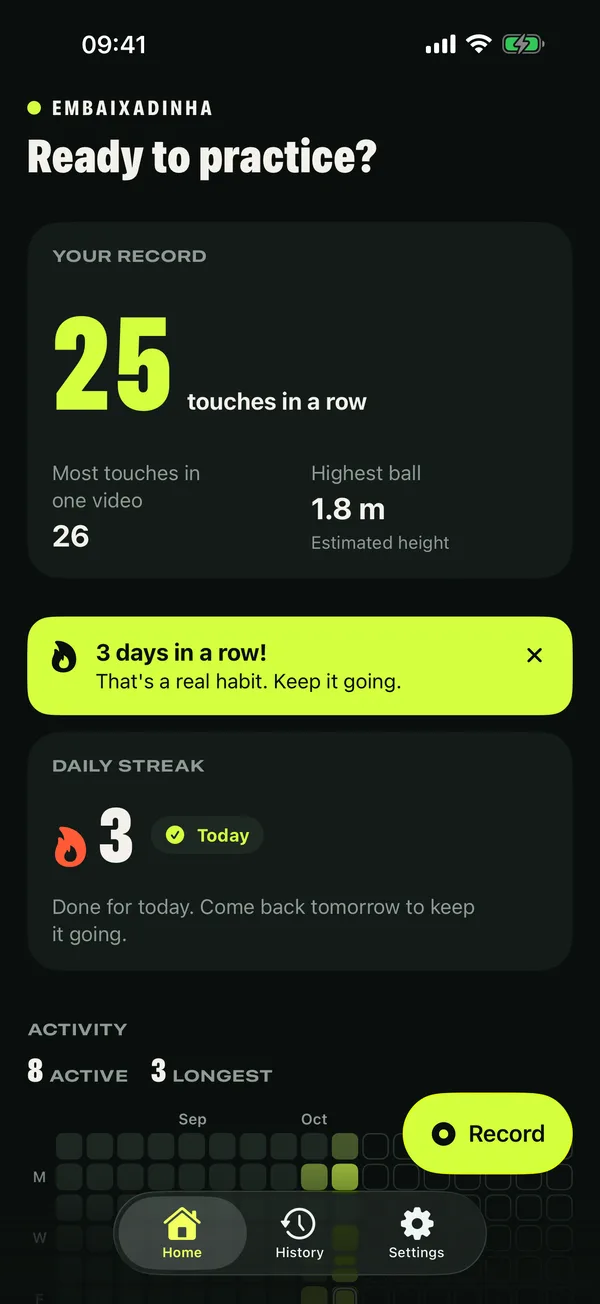
Habit and progress
Your best numbers tell part of the story. How often you come back to the ball tells the rest.
Set your iPhone down. Keep your whole body and the ball in frame, with good light and room to play.
Record your run or import a video with Pro. Analysis happens right on your iPhone.
Review your touches, find your best streak and export a replay to share.
The app analyses your video to follow the ball and identify touches. Good lighting, a fixed camera and your whole body in frame help. Counts can vary with video quality and framing.
Yes, with Pro. You can record in the app or analyse a video from your library. Imported videos are excluded from rankings.
Analysis happens on your iPhone. Videos are not uploaded to rankings. If you choose to participate, score data is shared, not the video.
Embaixadinha is built for iPhone with iOS 18 or later. Check the App Store link for availability in your region.
When there is enough evidence, the app shows estimates in the image plane. These depend on framing and are not laboratory measurements. Insufficient evidence is shown as N/A.

Grab a ball. Set down your iPhone. Make the next touch count.


For iPhone with iOS 18 or later.